
Databases
MySQL, PostgreSQL and SQLite, on the same machines as your terminals. Every change is shown to you before it is written.
Not released yet. Tested against MySQL 8.4 and PostgreSQL 18 on one disposable test server (checked 2026-09-27).
What it does
Browse
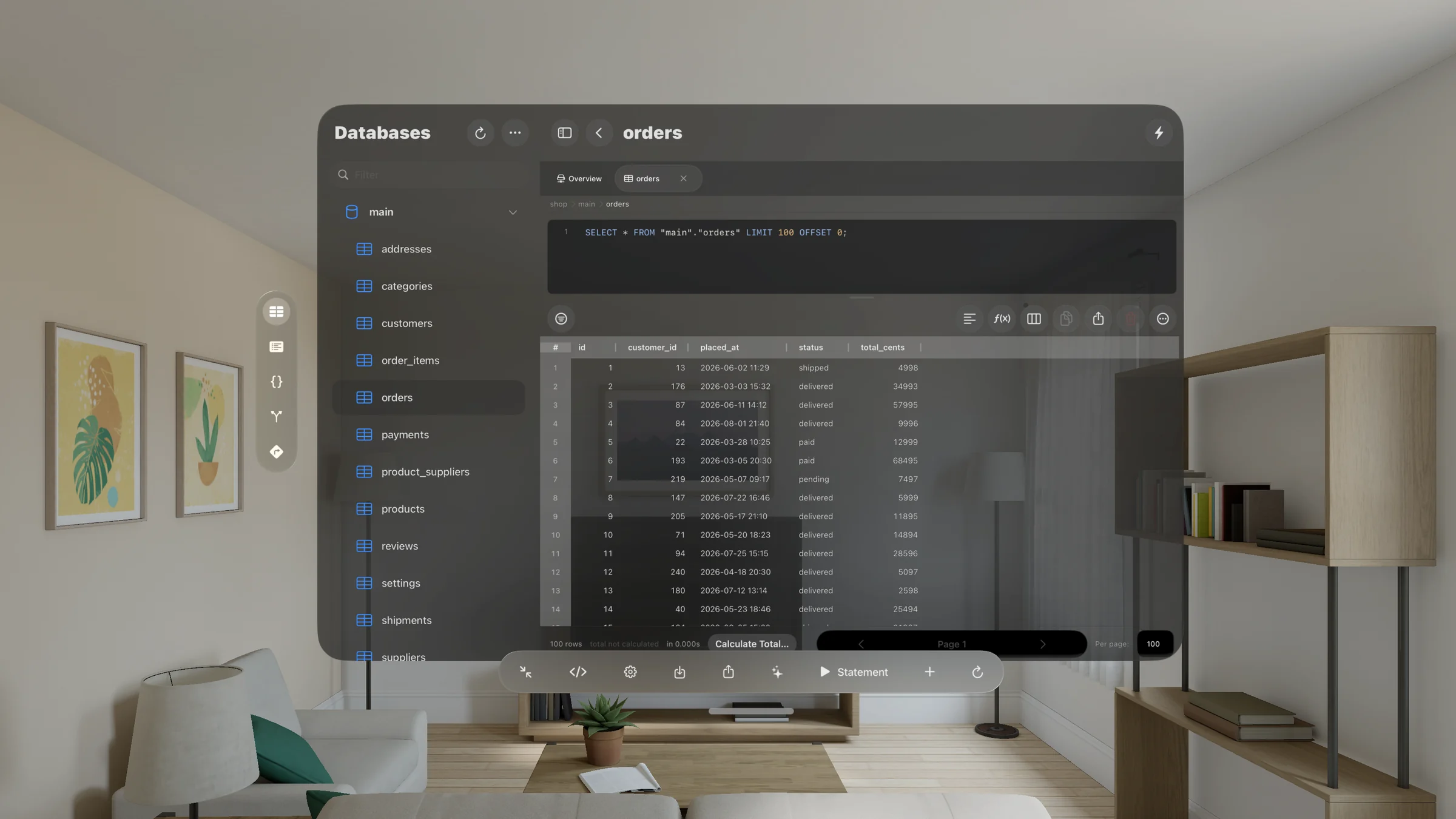
Databases, schemas, tables and views. Sort, filter and page rows. Freeze and hide columns. Follow a foreign key to the row it points at.
See the whole schema
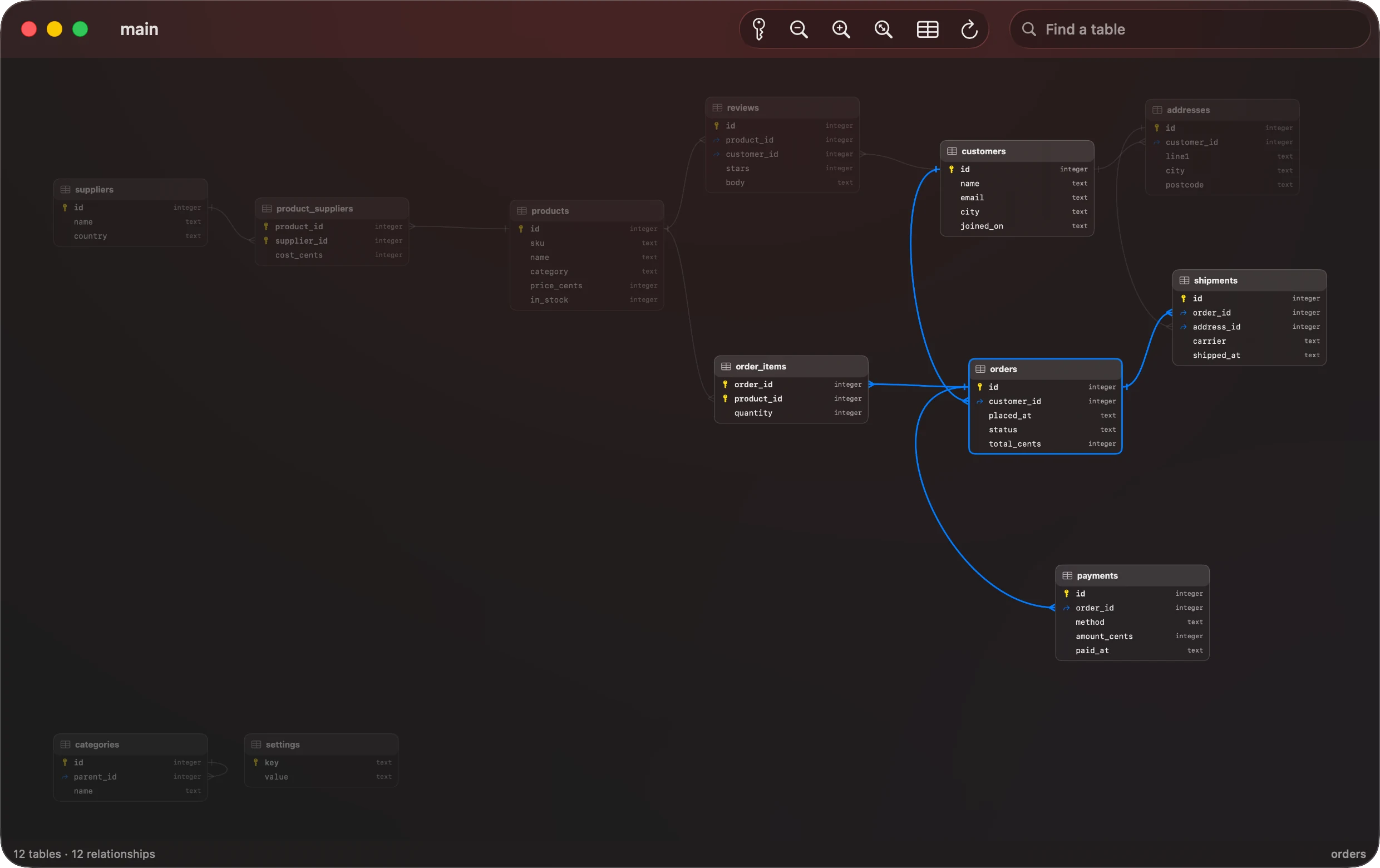
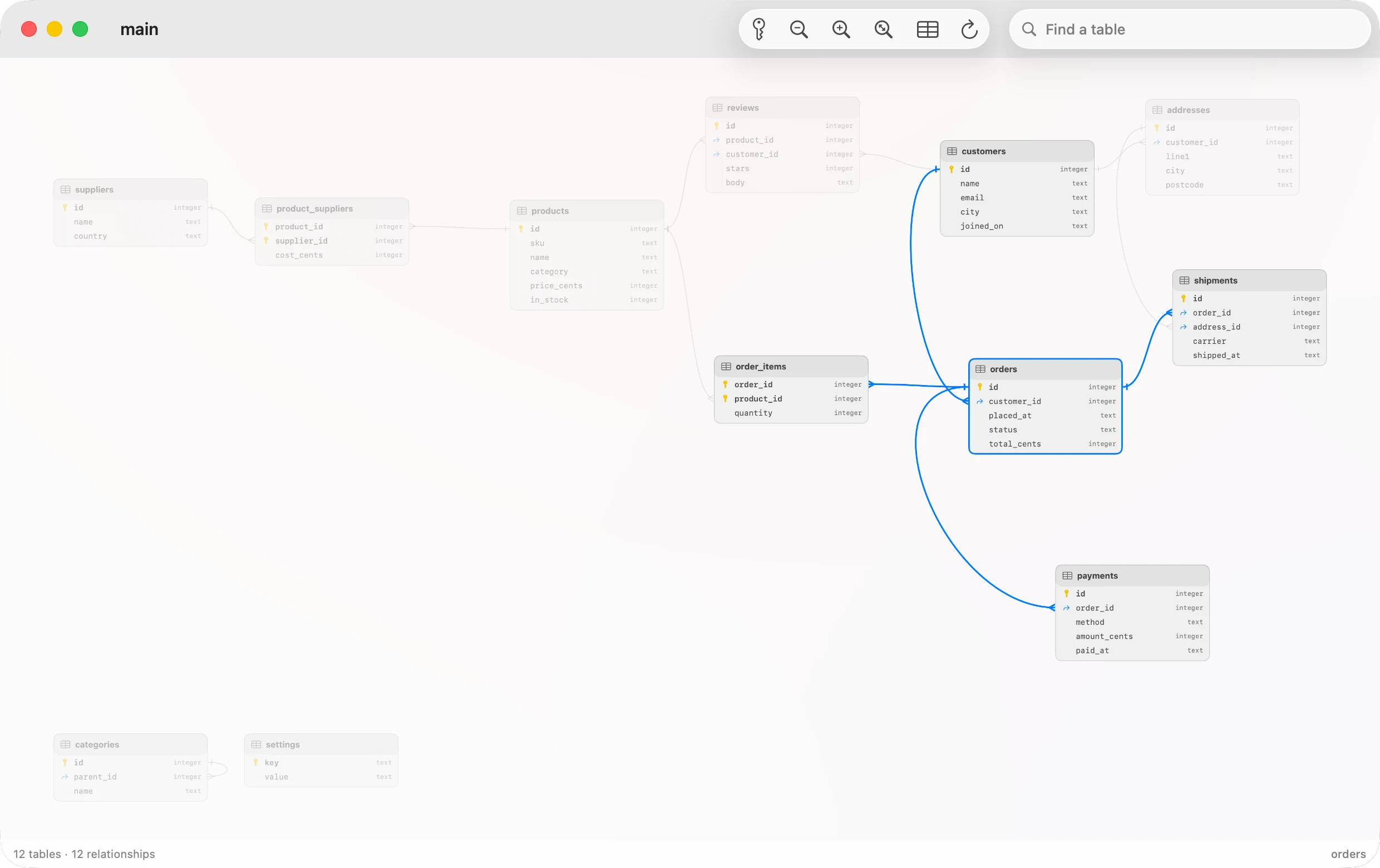
A live diagram of every table, its columns and keys, with a line for each foreign key. Select a table to light up what it joins. On Vision Pro it stands in the room, in three dimensions.
Edit, with a review
Edit, add, delete and paste rows. Change columns, indexes and foreign keys. Nothing is written until you read the change and choose Commit.
Write SQL
Run a statement, a selection or a whole script. Explain Plan without running it. Cancel, format, and save .sql files. Saved queries open from Siri and Shortcuts too, never run.
Read-only services
Mark a service read-only, and the connection itself refuses any statement it cannot classify as a read, before it is sent.
Analyze and export
Group and aggregate through a bounded server query. Export rows as CSV, JSON or SQL.
A record of changes
The Mutation Log lists row and schema changes with their outcome. It never records row values.
How the connection is protected
TLS
TLS 1.2 or later. Verify against the certificate authorities your device trusts, or against a certificate you supply. If the server fails the check, the connection fails. The app never retries with a weaker mode.
A direct connection without encryption is allowed, for a database on the same machine or a network you trust. The setup sheet warns you when you choose it.
Through the host's SSH
Many database servers accept connections only from their own machine. The tunnel reaches them through the host's Terminal service, with the same sign-in and the same host-key trust. A database on a private network goes through the machine that can reach it, such as an app server, and needs no SSH of its own.
Query history
Unless you turn it off, strings and numbers are replaced with ? before a statement is stored in history. The SQL sent to the database is not changed.
The on-device assistant
Where Apple Intelligence is available, a model on your device can draft a query, suggest a fix for an error, and title a SQL tab. Nothing is sent to a server.
The sheet shows what the model is given. For a query, that is the database name and one table's column names and types, and no row values. The app's own classifier, not the model, decides whether SQL is a read, a change or destructive. Inserting a query never runs it. The model can be wrong, so treat what it writes as a draft.
On each device
Written from the app's code. On 2026-10-17 the Mac, the iPhone and the Vision Pro all ran the same build, 0.4.471.
- Vision Pro: the workspace is its own window, which you can place anywhere, or shrink into a small orb while it stays connected. Closing its last window ends the session.
- Mac: a window per workspace, a Query menu, keyboard shortcuts and a command palette.
- iPad: a window per workspace. Closing the last window on a session ends it. A narrow window takes the iPhone's smaller bars.
- iPhone: the workspace takes the screen, one level at a time: database, table, rows.
What it does not do yet
- Three engines: MySQL, PostgreSQL and SQLite. No others.
- Editing, deleting and pasting rows need a primary key.
- A single
SELECTloads up to 1,000 rows into the results. Result row limit, in Settings ▸ Databases, sets any limit from 1 to 100,000. - A pasted range updates rows already loaded. It does not add rows.
- PostgreSQL has no
CREATE TABLE(DDL) view. SQLite tables cannot add or drop foreign keys from the app. - A SQLite file is used as a private copy on this device. To see a newer original, choose the file again.
- On a phone, a workspace's tabs do not survive leaving and coming back. The session and SQL drafts do.
In the help
Add a database
Engines, fields and the read-only option.
Encryption and the tunnel
TLS modes, the unencrypted warning, and SSH.
The workspace
Schema browser, overview, Mutation Log, reconnecting.
Browse table data
Sort, filter, page, analyze, follow keys, export.
See a database's diagram
Tables, keys and relationships, in 3D on Vision Pro.
Edit rows and structure
Every change reviewed before it is written.
Write and run SQL
Run, explain, cancel, history, saved queries.
The on-device assistant
What it does, and what it is given.