
Terminal
SSH to the machines in your library, with their files a click away. On the Mac, a local shell too.
Not released yet. Tested against OpenSSH 10.2 for shell, SFTP, and RSA and Ed25519 sign-in.
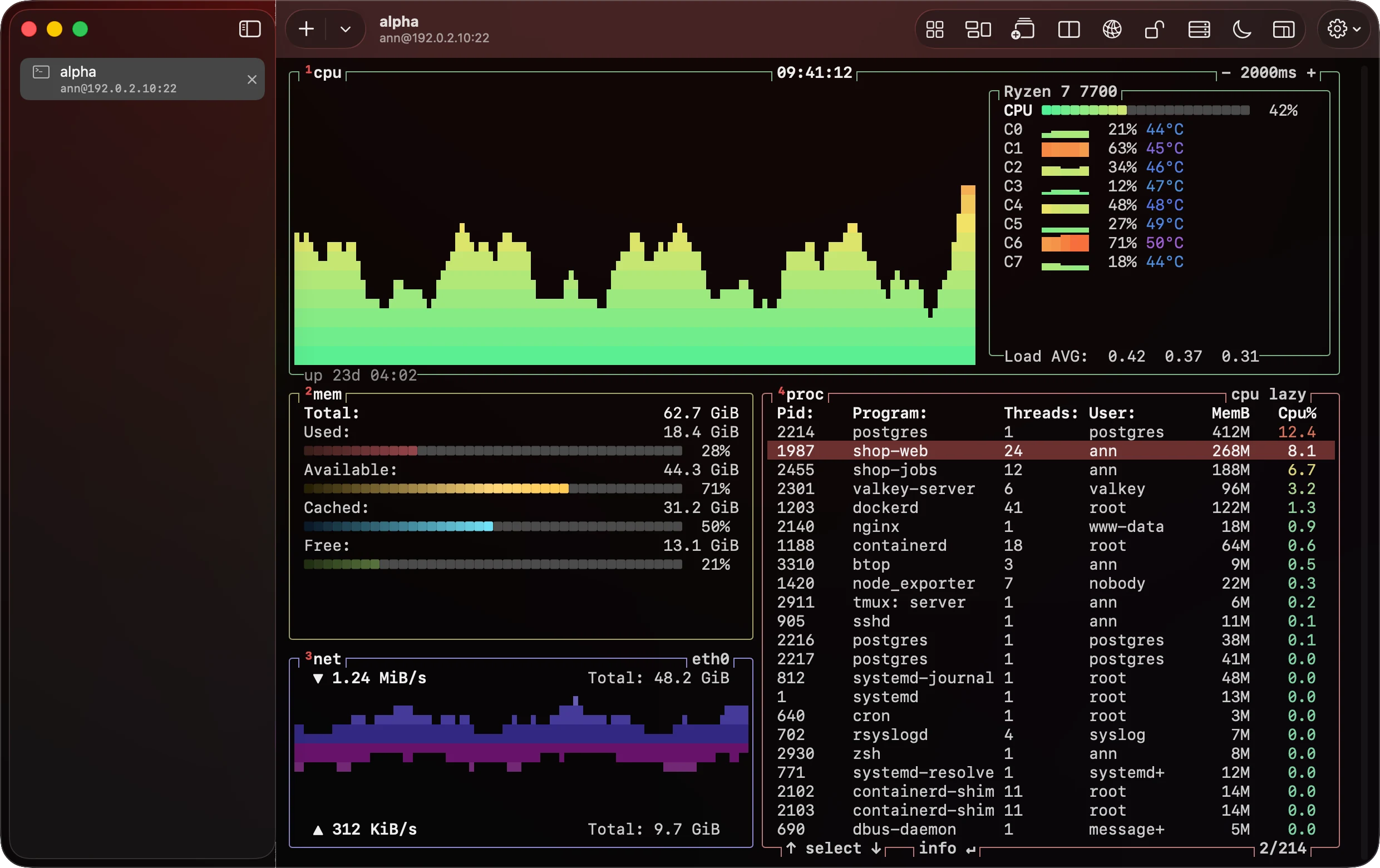
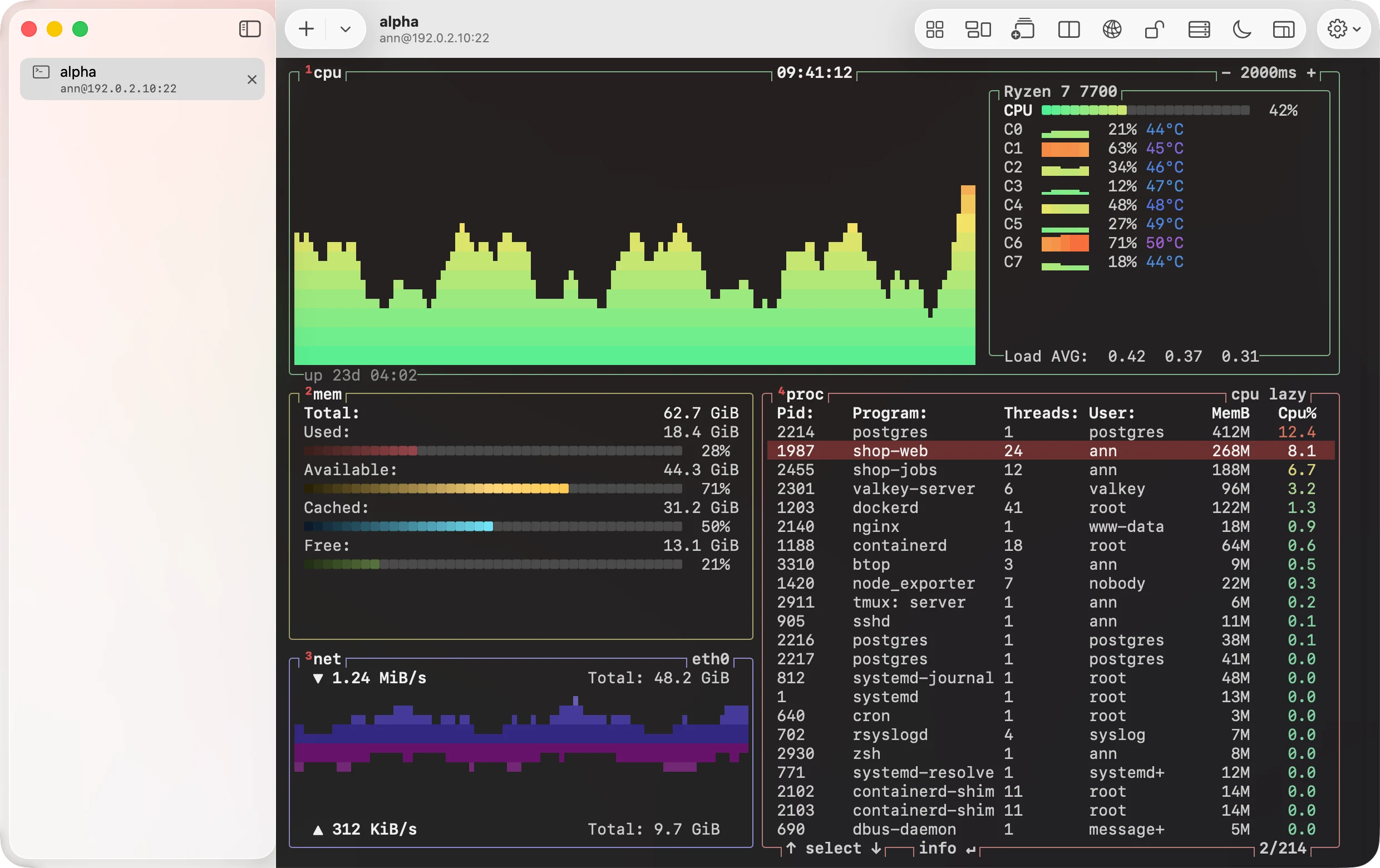
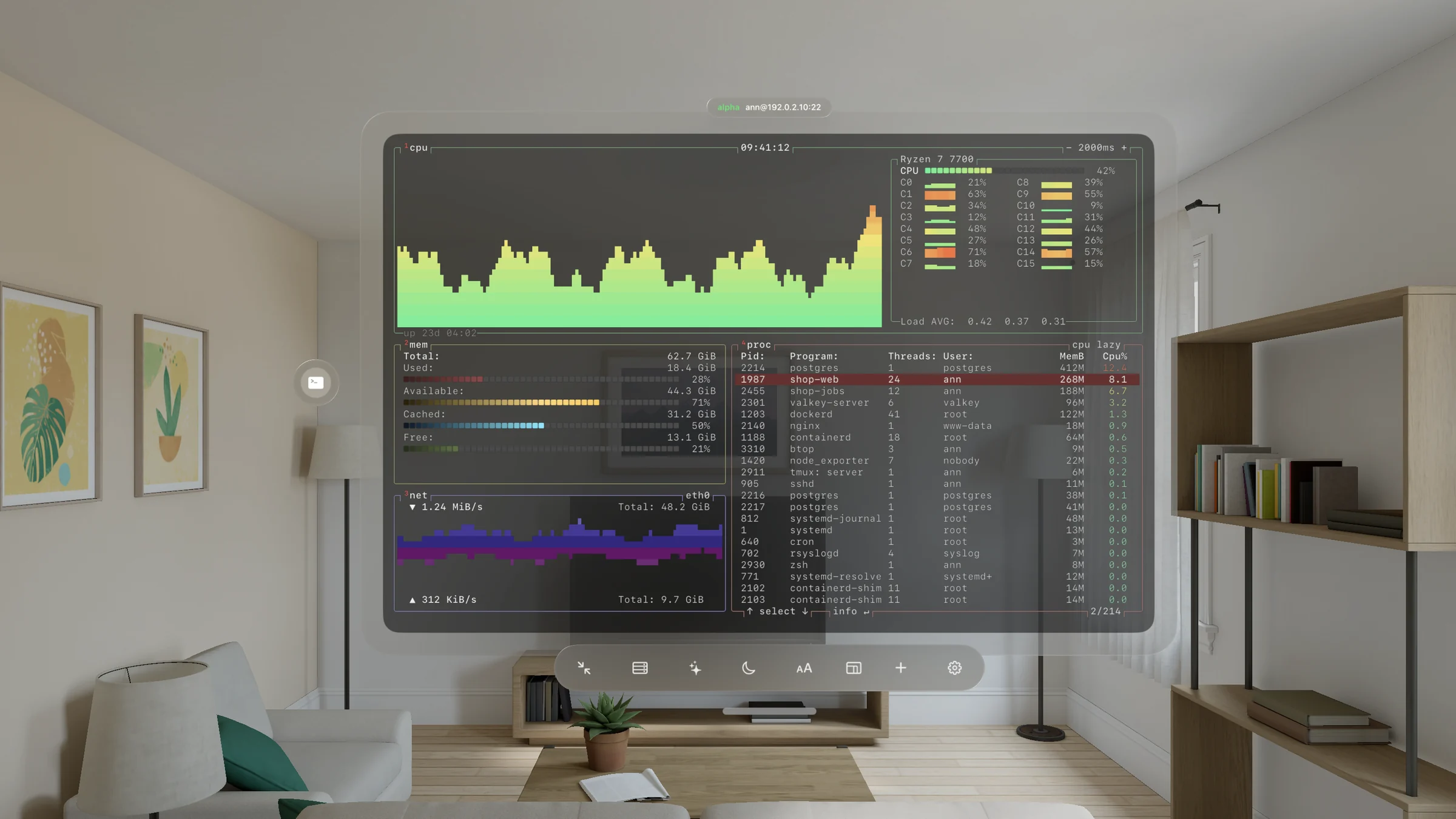
What it does
Sign in
Password or key. Import RSA and Ed25519 keys in OpenSSH format, or generate a P-256 key in the Secure Enclave. That key never leaves the device, and each use asks you to confirm that you are there.
Host keys
The first time you connect, you compare the machine's SHA-256 fingerprint and choose to trust it. A changed key stops the connection. Strict mode refuses any key you have not already trusted.
Tabs, splits and workgroups
Tabs on every device. On the Mac, split panes, tabs named after what runs in them, and tabs you drag from one window to another. A workgroup saves a set of terminal tabs, with startup commands, opens them together, and is on all your devices.
Sessions that keep running
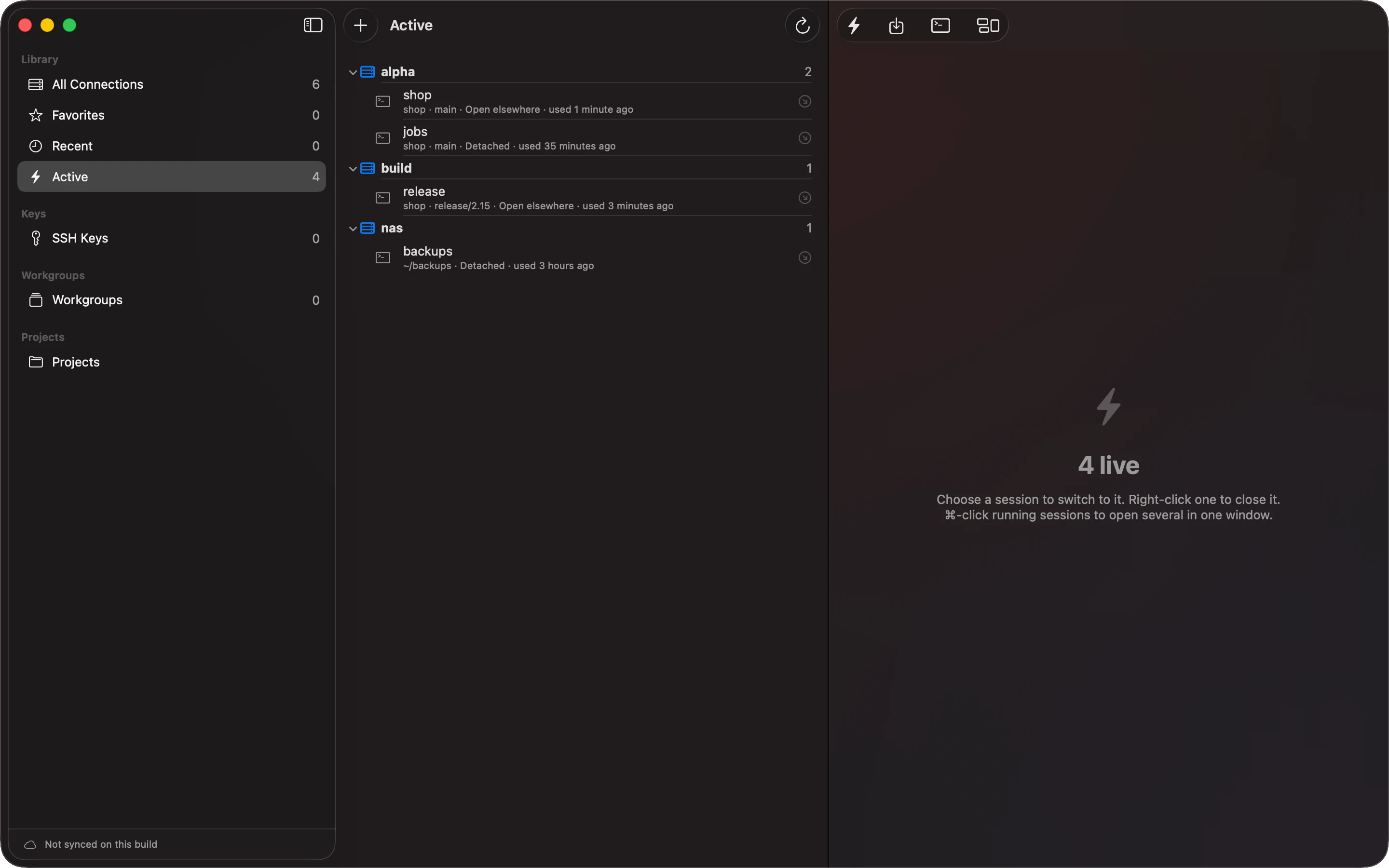
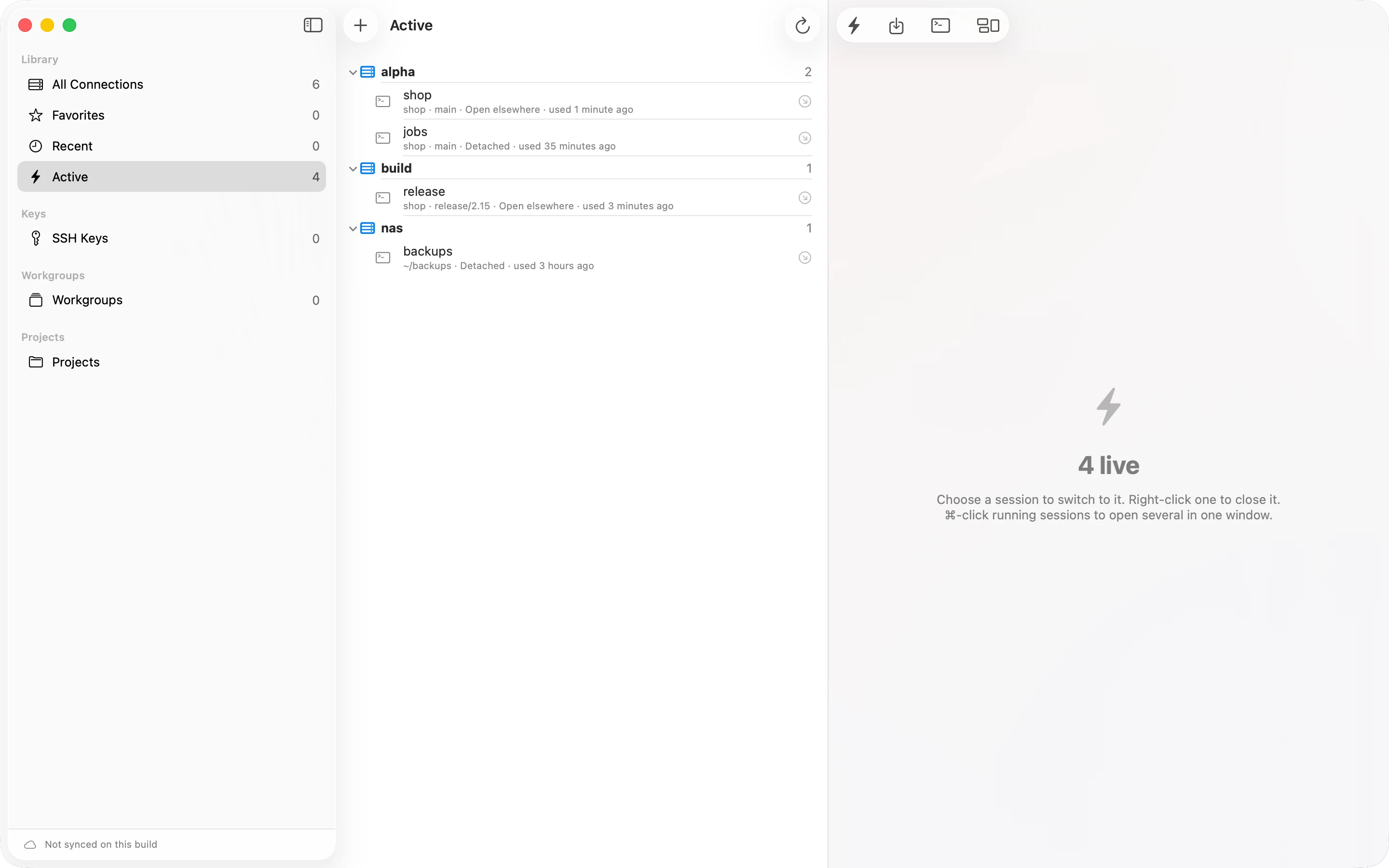
Keep a server's terminals in tmux, and a dropped connection or a closed app leaves the work running. Active lists those sessions on every device, to pick up, share or take over. On the Mac, local terminals can run in tmux too, in a background process, so quitting, updating or force quitting the app does not stop them. For a shell that ends when you close it, open a basic terminal, outside tmux.
Every window at a glance
Show All Windows lays out every terminal tab, and every other window you have open, as live pictures, and takes you to the one you choose. On the Mac it works like Mission Control; on iPhone and iPad you pull it down from the top bar; on Vision Pro it is a window of its own. A terminal running an AI coding agent, such as Claude Code or Codex, carries the agent's mark.
Links and paths
Right-click an address or a path a terminal prints, or pinch and hold it on Vision Pro: open the link, open the file in the Editor, show it in the Finder or in Files, or watch a log file grow in a new tab. On the Mac, rest the pointer on a path to see its file over the terminal: code highlighted, Markdown rendered, pictures, PDFs and 3D models shown, from the Mac or the server. A link to a 3D model opens in 3D.
Resize or scale
Make a window smaller and the terminal normally gets fewer rows and columns. Scale Text keeps them instead, and the text grows and shrinks with the window, so a 120 × 40 terminal stays 120 × 40 in a small window. On Vision Pro, the Mac and iPad.
Files over SFTP
Browse, upload, download, rename, move and delete. Open a file or a whole folder in the Editor, and save it back to the server.
Port forwarding
Local, remote and SOCKS5 forwards on a live session. Local ports listen on 127.0.0.1 only.
Routes
Jump hosts, in the order you set. Auto-reconnect after a dropped connection, up to five tries. Import hosts from an OpenSSH config file, or from your Tailscale tailnet.
Pick up where you left off
With a machine's terminals kept in tmux, Active lists what runs there on every device: open on another device, detached, or open here. Choose one to join it, or take it over. A workgroup keeps each of its terminals' sessions, so after a quit, a crash or an update its windows come back on them with everything still running.
Small things that protect you
- Pasting several lines, or more than 4,096 bytes, shows the text for review before it is sent.
- Older algorithms, such as SHA-1 key exchange and AES-CTR, are off. You can turn them on for one host, and you are asked each time you connect.
- Recording keyboard input is a separate choice from recording output, and the terminal shows INPUT REC while it runs.
- The command assistant, where Apple Intelligence is available, shows the exact command and asks before sending it.
- On the Mac, Secure Keyboard Entry stops other apps from reading what you type in the terminal.
On each device
Written from the app's code, and checked on each device on 2026-10-08. On 2026-10-17 the Mac, the iPhone and the Vision Pro all ran the same build, 0.4.471. Not every newer change has been tried on the headset yet, and Scale Text on iPad only in Apple's simulator.
Vision Pro
Each connection opens its own window, named after the machine. One button steps a window through tabs, grid and carousel. A window can shrink into a small glass orb with its terminal live inside, and its tabs as dots around it; pinch one to bring the window back on that tab. Select text as Apple's own apps do, with pinches or a trackpad, even while tmux has the mouse. Focus Mode dims the room around you.
Mac
A terminal window with tabs and split panes, keyboard shortcuts, a command palette that reaches every machine and service, and a local shell. The plus button lists the terminals already running on each machine, to open one as a tab. Opening the tab sidebar widens the window rather than taking room from the terminal, so its rows and columns stay as they are. Programs such as Claude Code draw smoothly: the terminal answers the questions they ask before they draw, and takes each screen update as one frame.
iPad and iPhone
The terminal takes the screen, and the session keeps running when you go back to the library. A bar above the on-screen keyboard has Escape, Tab, Control, arrows, F1–F12 and a cursor pad. Pull down from the top bar to see everything open.
What it does not do yet
- Only the Mac has a local shell. iPad, iPhone and Vision Pro connect over SSH.
- Imported keys must be RSA or Ed25519, in OpenSSH format. Keys made in the Secure Enclave work only on that device.
- Port forwards belong to a live session. They are not saved.
- The SSH config importer reads explicit
Hostentries.Match,Includeand wildcard entries are skipped and reported. It never reads key files. - SFTP uploads and downloads files, not folders. Delete removes a folder only when it is empty.
- On the Mac, a workgroup that includes a legacy-algorithm connection does not open. Open that connection directly.
- On the Mac, Scale Text works for terminals on other machines. A terminal on the Mac itself always changes its rows and columns with its window. iPhone has no Scale Text.
In the help
Connect over SSH
Set up a service, passwords, jump hosts, old servers, dropped connections.
Keys and host trust
Sign in with a key and decide whether to trust a machine.
Work in a terminal
Windows, tabs, splits, scaling, links and paths, file previews, search, paste review, snippets, recording.
Keep terminals running
tmux sessions, Active, basic terminals, and the Mac's local terminals.
Files over SFTP
Browse, transfer and edit files on a server.
Port forwarding
Local, remote and SOCKS5 forwards.
Workgroups
Save sets of terminals and open them together.
Settings and themes
Connections, themes, snippets, SSH config import, Tailscale.
Manage SSH keys
Import, generate, copy and delete keys.